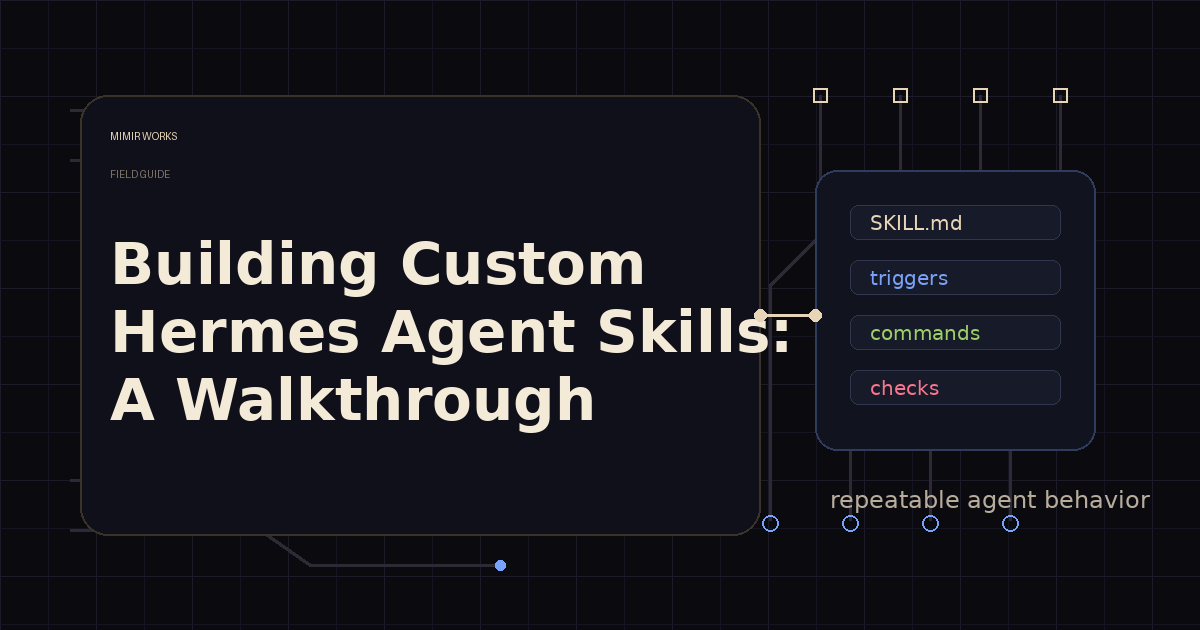
If your agent keeps rediscovering the same workflow, you do not need a better prompt. You need a skill.
A custom Hermes Agent skill is not a prompt snippet. It is an operating procedure the agent can load when a task matches a known pattern.
That distinction matters. Prompt snippets make the model sound prepared. Skills make the agent behave prepared. I wrote about durable prompt contracts in System Prompts That Survive Production; skills are the execution layer next to that contract. They carry trigger conditions, exact commands, file paths, pitfalls, verification steps, and the small pieces of context that disappear from memory when a session ends. For teams, this is how tribal process turns into repeatable agent behavior instead of another handoff lost in chat.
I started treating skills as part of the agent runtime, not as documentation. When a workflow takes five tool calls, has a sharp failure mode, or teaches the agent something I do not want to repeat, it belongs in a skill.
This walkthrough shows the way I build them. By the end, you should be able to decide when a workflow deserves a skill and draft a valid SKILL.md.
Quick Start: Create a Hermes Skill in 6 Steps
- Name the trigger: What future request should load this skill? Write one sentence: "Use when..."
- Extract the sequence: Pull the repeatable steps from your last successful run.
- Replace vibes with commands: Swap vague steps for exact commands, paths, and tool names.
- Add failure modes: Document the mistakes you already made — put them next to the affected steps.
- Write a verification checklist: What must be true before calling the task done?
- Validate and test: Check YAML frontmatter, then run the skill on a small real task and patch gaps.
Use this when a workflow has taken 5+ tool calls, produced a repeatable error, or crosses sessions/repos. Do not create a skill for one-line preferences — those belong in memory.
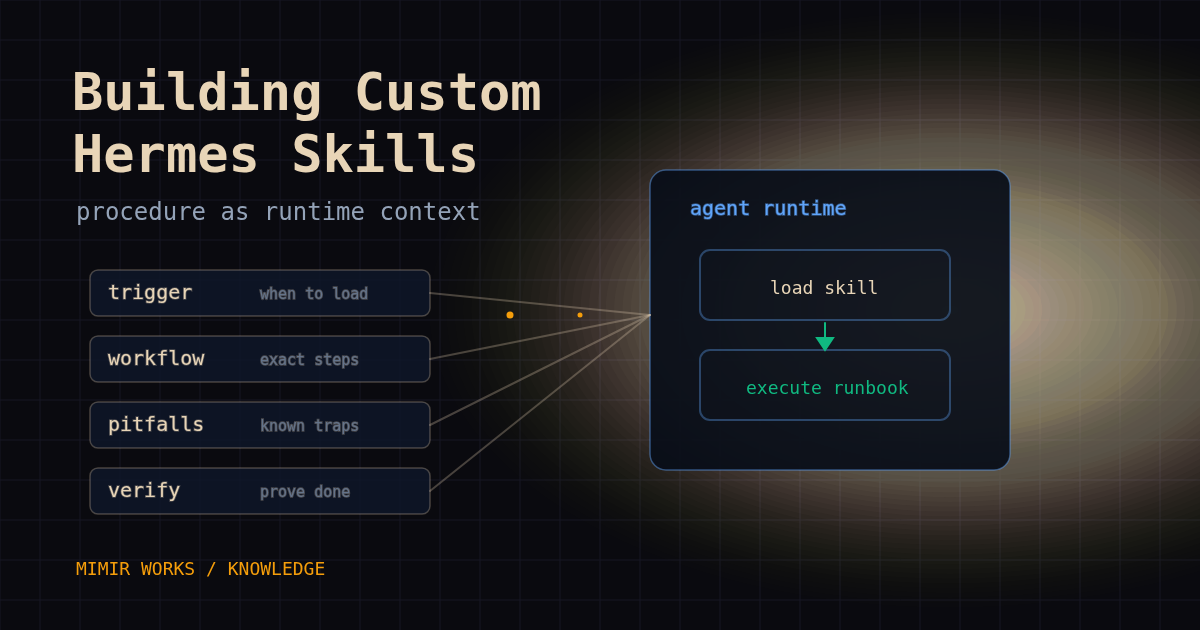
What a skill should do
A good skill narrows behavior. It tells the agent when to load it, what sequence to follow, which commands are safe, which files matter, and how to know the work is done.
That sounds boring because it should be boring. The best skills read like internal runbooks. They remove improvisation from repeated work.
In Hermes, skills live as Markdown files with YAML frontmatter. At session start, Hermes surfaces available skill names and descriptions in the system prompt, then the agent can load the full procedure when it is relevant. The official Hermes Agent skills docs cover the public format. The description is the routing surface. The body is the execution surface.
I use skills for workflows such as writing blog posts, editing Hermes config, authoring new skills, running code reviews, controlling MCP servers, and managing kanban workers. Each one exists because a repeated task had enough shape to deserve its own lane.
When to create one
Do not create a skill for every task. That turns the library into another noisy memory store.
I create a skill when at least one of these is true:
- The task took five or more tool calls and had a repeatable sequence.
- I hit an error that will probably happen again.
- The user corrected my process and the correction should survive future sessions.
- The workflow depends on exact commands, paths, or config keys.
- The output needs a stable format across runs.
- The task crosses sessions, repos, or agents.
A one-line preference belongs in memory. A temporary task update belongs in a log or kanban card. A reusable procedure belongs in a skill.
That separation keeps the system clean. Memory answers "what is true about this user or environment?" Skills answer "how do I execute this class of work?"
The split is simple:
- Memory stores durable facts and preferences.
- Logs record what happened.
- Kanban tracks work state and handoffs.
- Skills preserve repeatable execution.
If a note tells the agent how to run a future workflow, it is probably a skill.
Start with the trigger
The most important line in a skill is the description.
Hermes shows available skill names and descriptions before the agent chooses what to load. If the description is vague, the skill will not load at the right time. If it is too broad, it loads constantly and wastes context.
I write descriptions as trigger rules:
description: "Use when creating or editing Hermes Agent skills. Covers frontmatter, directory layout, validation, and common pitfalls."
That is better than:
description: "A guide to skills."
The first description tells the agent when the skill applies and what it contains. The second asks the model to guess.
For the title and name, I keep the scope narrow. hermes-agent-skill-authoring is useful. everything-about-hermes is not. The narrower name makes it easier to route and easier to maintain.
The file shape
A minimal Hermes skill is a SKILL.md file with YAML frontmatter and a non-empty body.
For profile-local skills, the path usually looks like ~/.hermes/profiles/<profile>/skills/<category>/<skill-name>/SKILL.md. For repo-bundled skills, the path usually looks like skills/<category>/<skill-name>/SKILL.md inside the repository. Decide which kind you are building before writing files.
For bundled or repo-owned skills, I use this shape:
---
name: hermes-agent-skill-authoring
description: "Use when creating or editing Hermes Agent skills. Covers frontmatter, directory layout, validation, and common pitfalls."
version: 1.0.0
author: Hermes Agent
license: MIT
metadata:
  hermes:
    tags: [skills, authoring, hermes-agent]
    related_skills: [writing-plans, requesting-code-review]
---
The practical validation checks are simple, but they still matter: the file starts with ---, the frontmatter parses as a YAML mapping, name exists, description exists, the description stays within the current 1024-character limit, the skill name stays within the current 64-character limit when created through Hermes tooling, and the body has content. In practice I include version, author, license, tags, and related skills because consistency matters when the library grows.
Then the body follows a pattern:
# Skill Title

## Overview
What this skill is for and why it exists.

## When to Use
Specific trigger conditions and counter-triggers.

## Workflow
The exact sequence to follow.

## Common Pitfalls
Known failure modes and fixes.

## Verification Checklist
What must be true before calling the task complete.
This is not decorative structure. The headings help the agent scan and execute the procedure under pressure. If the task is already complex, the skill should reduce cognitive load, not add prose around it.
Complete SKILL.md Template (Copy-Paste Ready)
---
name: your-skill-name
description: "Use when [specific trigger]. Covers [scope] and avoids [common mistake]."
version: 1.0.0
author: Your Name
license: MIT
metadata:
  hermes:
    tags: [category, workflow, tool-name]
    related_skills: [other-skill-1, other-skill-2]
---

# Your Skill Title

## Overview
One paragraph explaining what this skill does and why it exists.

## When to Use
- Trigger 1: [specific condition]
- Trigger 2: [specific condition]
- **Do NOT use when:** [counter-trigger]

## Workflow
1. Step one with exact command or tool call
2. Step two with file path or API endpoint
3. Step three with verification check

## Safety & Guardrails
- **Irreversible actions:** Require explicit user confirmation before [action]
- **Credentials:** Use scoped/read-only tokens; never commit secrets
- **Rollback path:** [how to undo if this goes wrong]

## Common Pitfalls
- **Pitfall 1:** What goes wrong and how to detect it
- **Pitfall 2:** What goes wrong and how to detect it

## Verification Checklist
- [ ] Output file exists at expected path
- [ ] Tests pass (run: `pytest tests/...`)
- [ ] No secrets in committed files
- [ ] Handoff documented in kanban/log
Add exact commands, not vibes
A weak skill says:
Run tests before committing.
A useful skill says:
Run the targeted tests first:

python -m pytest tests/tools/test_skill_manager.py -q

Then run the full suite before pushing:

python -m pytest tests/ -o 'addopts=' -q
The difference is execution cost. The first version forces the agent to rediscover project conventions. The second version carries the convention forward.
I include exact commands for package managers, validators, build steps, database migrations, API calls, and CLI tools. If a command needs a working directory, I state it. If a command is slow, I say so. If a command has a common false failure, I describe the check that separates a real error from noise.
Skills are where local operational knowledge belongs.
Put pitfalls near the workflow
Most useful skills exist because something went wrong once.
That failure should not be hidden at the bottom as a footnote. Put it close to the step it affects.
For example, skill authoring has a cache pitfall: the current session's skill catalog can be stale after creating or editing skills. A new skill can fail to appear through normal discovery until a fresh session. The right verification is to validate the file on disk or restart the session, not to keep recreating the skill under new names.
Another pitfall: profile-local skills and repo-bundled skills are created differently. Decide which one you are building before writing files. skill_manage(action='create') writes to the active profile's skill directory under HERMES_HOME, such as ~/.hermes/profiles/<profile>/skills/. That is an agent tool workflow, not a shell command. It does not create an in-repo bundled skill. If the goal is to ship a skill with the Hermes Agent repo, write the file under the repo's skills/<category>/<name>/SKILL.md path and commit it.
A third pitfall: descriptions that sound nice but do not route. The agent does not need a sales pitch. It needs a trigger.
Pitfalls should be practical enough that a tired agent can avoid repeating yesterday's mistake.
Supporting files belong inside the skill directory
Some skills need more than one Markdown file.
I split long references into references/, reusable starting points into templates/, executable helpers into scripts/, and images or static support material into assets/. That keeps the main SKILL.md readable while still giving the agent deeper material when needed.
The main file should point to those files explicitly:
For the full checklist, read `references/anti-slop-checklist.md` before final review.
Use `templates/post-frontmatter.yaml` when creating a new blog post.
Run `scripts/validate.py` after editing the generated config.
When a skill is loaded, Hermes can expose linked files under references/, templates/, scripts/, and assets/ so the agent can request them separately. That makes a skill feel less like a wall of instructions and more like a small toolkit.
Do not put secrets in a skill. Reference environment variable names, secret file locations, or setup commands. A skill can be committed, shared, indexed, and loaded into model context. It can also expose repo paths, internal conventions, and security posture. Treat it like code that travels, and review it before publishing or sharing.
The rule I use: keep SKILL.md as the command surface. Move reference material out when it starts slowing down the core workflow. Scripts should be reviewed, deterministic where possible, and safe to run from the declared working directory.
Validate the skill like code
A skill can be syntactically valid and operationally useless. I check both.
First, validate the file shape:
import pathlib
import re
import yaml

path = pathlib.Path("skills/software-development/my-skill/SKILL.md")
content = path.read_text()
assert content.startswith("---")
match = re.search(r"\n---\s*\n", content[3:])
assert match
frontmatter = yaml.safe_load(content[3:match.start() + 3])
assert isinstance(frontmatter, dict)
assert frontmatter["name"]
assert len(frontmatter["name"]) <= 64
assert frontmatter["description"]
assert len(frontmatter["description"]) <= 1024
assert content[match.end() + 3:].strip()
Exact validation commands can vary by Hermes version, so prefer the repo validator or official docs when they exist. Then validate the behavior:
- Would the description cause the agent to load this skill at the right time?
- Does the workflow name exact commands and paths?
- Does it say when not to use the skill?
- Are irreversible actions clearly gated?
- Does the skill avoid approval bypasses and unsafe default flags?
- Does it point to scoped credentials, read-only checks, test systems, or dry runs where those fit?
- Does it name a rollback path for migrations, deploys, publishing, payments, trades, and external API writes?
- Does the verification checklist prove the result, or just say "done"?
- Did I capture the failure that made this skill necessary?
That second pass matters more. A clean YAML block does not make a good skill. A good skill changes what the agent does next time.
Testing Checklist Before Publishing a Skill
Before you commit or share a skill, run through this checklist:
| Check | Command / Method | Pass Criteria |
|---|---|---|
| YAML parses | python -c "import yaml; yaml.safe_load(open('SKILL.md').read().split('---')[1])" | No exception, name and description present |
| Name length | len(frontmatter['name']) | ≤ 64 characters |
| Description length | len(frontmatter['description']) | ≤ 1024 characters |
| Body non-empty | content.split('---')[2].strip() | Has content |
| Trigger clarity | Manual review | Description starts with "Use when..." or names specific trigger |
| Commands exact | Manual review | No vague steps like "run tests" without command |
| Paths absolute | Manual review | File paths use ~/.hermes/ or $HERMES_HOME or absolute paths |
| Safety gates | Manual review | Irreversible actions require confirmation or dry-run flag |
| Rollback named | Manual review | Skill names how to undo if it goes wrong |
| Test run | Execute skill on small real task | Agent completes task without asking for missing info |
| No secrets | grep -i secret SKILL.md | No hardcoded tokens, passwords, or API keys |
Run this checklist before every skill merge. Skills are code — they deserve the same review discipline.
Maintain skills or delete them
Skills rot. Commands change, repo layouts move, APIs deprecate, and workflows get replaced by better ones.
When I load a skill and find a wrong step, I patch it immediately when it is in my lane and safe to edit. Not later. Later becomes never, and then the library starts training the agent into stale behavior. High-impact skills for publishing, deployment, customer communication, finance, or security deserve the same review discipline as code.
My maintenance rule is simple:
- Patch small errors in place.
- Rewrite major structural problems.
- Split large skills when one file starts covering unrelated workflows.
- Archive or delete skills that no longer map to real work.
- Do not create narrow duplicates because the existing skill is slightly inconvenient.
The goal is not a large skill library. The goal is a useful one.
A practical creation loop
Here is the loop I use after a complex task:
- Write down the trigger: what future request should load this?
- Extract the repeatable sequence from the transcript.
- Replace vague steps with exact commands, paths, and tool choices.
- Add the failure modes I hit.
- Add a verification checklist.
- Save the skill in the correct directory.
- Validate the frontmatter and body.
- Use it once on a small real task.
- Patch anything that was missing.
The first version should be short. A skill earns length by surviving work.
If I cannot name the trigger, I do not create the skill. That is usually a sign the information belongs somewhere else.
A small starter skill can look like this:
---
name: changelog-audit
description: "Use when reviewing a changelog before release. Checks version order, breaking-change notes, migration steps, and links."
version: 1.0.0
tags: [release, changelog, audit]
---

# Changelog Audit

## When to Use
Use this before publishing a release note or changelog entry. Do not use it for commit-message cleanup.

## Workflow
1. Read `CHANGELOG.md` and the release diff.
2. Confirm the version and date match the release tag.
3. Check that breaking changes include migration steps.
4. Verify every issue or PR link resolves.
5. Run the project docs check from the repo README.

## Safety
Do not publish the release. Report blockers and wait for the release owner.

## Verification
Return the checked version, blockers, warnings, docs command output, and links tested.
For repo-bundled skills, I still add author, license, metadata tags, and related skills for consistency.
Example: a skill for content publishing
A content publishing skill needs more than "write a blog post."
It needs the repo path, frontmatter format, voice rules, anti-slop checklist, image requirements, git discipline, and the review gate. It should tell the agent to read existing posts before drafting. For my workflow, final publishing needs direct review consensus. It should name the log file and the exact append format.
That is operational knowledge. Without the skill, the agent can still write prose. With the skill, it can execute the publishing workflow without skipping the parts that make the system trustworthy: fewer missed review gates, cleaner handoffs, and safer publishing.
This is where skills compound. One skill preserves the writing workflow. Another preserves git workflow. Another preserves kanban handoff rules. The agent can load the right subset instead of dragging every rule into every session.
FAQ: Skills vs Tools vs Plugins
Q: What's the difference between a skill, a tool, and a plugin?
A: A tool is a callable function (like web_search or terminal). A plugin is a packaged collection of tools with shared config (like kanban-worker or github-code-review). A skill is a procedural document (SKILL.md) that tells the agent when and how to use tools/plugins together. Tools and plugins are code; skills are operating procedures that reference code.
Q: Where does SKILL.md live?
A: Profile-local skills live at ~/.hermes/profiles/<profile>/skills/<category>/<skill-name>/SKILL.md. Repo-bundled skills live at skills/<category>/<skill-name>/SKILL.md inside the repository. Profile-local is for your workflow; repo-bundled is for sharing with the Hermes ecosystem.
Q: How do I test a skill before sharing it?
A: Run it on a small real task in your own workflow first. The skill should complete the task without you needing to add missing steps. If you find yourself improvising, patch the skill immediately. Then run the testing checklist above.
Q: When should I NOT create a skill?
A: Do not create a skill for: (1) one-line preferences — those belong in memory; (2) temporary task state — use kanban or logs; (3) workflows you've only done once — wait until the pattern repeats; (4) vague processes — if you cannot name exact commands, the workflow is not ready for automation.
Q: Can skills call other skills?
A: Skills can reference related skills in their metadata (related_skills field) and body, but Hermes does not auto-load nested skills. The agent chooses which skill to load based on the trigger. If two skills always fire together, consider merging them.
Q: How do I update a skill that's already in use?
A: Patch it immediately when you find a wrong step. Use skill_manage(action='patch') for profile-local skills or edit the file directly for repo-bundled skills. Do not wait — stale skills train the agent into bad behavior.
Q: Should I put secrets in a skill?
A: No. Skills are committed, shared, and loaded into model context. Reference environment variable names (e.g., HERMES_API_KEY) or secret file paths (e.g., ~/.hermes/.env), but never hardcode tokens, passwords, or API keys.
What changes after you build the skill
The next run should be less dramatic.
The agent should ask fewer repeat questions, call the right tools earlier, avoid known traps, and verify the result in the expected way. If that does not happen, the skill is not specific enough.
I do not measure a skill by how complete it looks. I measure it by whether it removes repeated steering.
That is the whole point of custom Hermes Agent skills: turn hard-won process into reusable execution context. Not memory as trivia. Not prompts as theater. Procedure as part of the runtime.
Start with one workflow the agent has already repeated twice. Turn that into a short SKILL.md, use it once, then patch the missing step while the failure is still fresh.
If your agent workflows keep breaking between sessions, Mimir Works can help turn them into reusable operating systems. Start with the Hermes setup guide or bring the messy workflow to custom agent workflow consulting.
Read next: System Prompts That Survive Production and Why Specialist Agents Beat One Big AI Chat.