
System Prompts That Survive Production
My agents kept drifting. Not in the demo, the demo always worked. But in real workflows, they'd ignore a retrieval rule, invent a missing field, skip a handoff, or return the wrong format and break the next step in the chain.
That usually comes down to a system prompt problem.
In production, the system prompt is operating infrastructure. It defines what the agent is, what it can touch, what it must refuse, how it formats output, and what it does when reality doesn't match the plan. If you're running multi-agent workflows, PARA vaults, or persistent memory systems, loose prompting doesn't hold up.
This post is about what I changed to make system prompts survive real work.
Why most system prompts break in production
Most failures start with a false assumption: that a strong prompt is one that sounds smart and detailed. In a playground, that can look good enough. In an agent stack, it breaks fast.
The usual pattern: someone writes a long instruction block, gives the model a role, adds a few style notes, and calls it done. Then the agent enters a multi-step workflow, reaches for memory, touches external tools, and starts making choices the operator never intended.
That happens because a production prompt has to do more than shape tone. It has to define control boundaries.
The prompt is the operating manual, not the product
A system prompt fails in production when it leaves too much room for interpretation. Models will fill gaps. They infer intent. They smooth over ambiguity. That's useful in chat. It's dangerous in workflow automation.
A weak prompt usually has one or more of these flaws: soft constraints that read like suggestions instead of rules, unclear tool access so the model guesses when to retrieve or answer from memory, missing failure behavior when required data isn't available, loose output formatting that looks fine to a human but breaks downstream parsers, or no memory policy for what belongs in persistent notes versus ephemeral conversation state.
If the agent can improvise a key decision, it eventually will.
Operator notes beat magic prompts
What works better is closer to an internal runbook. Think of the system prompt as a compact operating manual for a specific agent inside a larger org. It should read less like marketing copy and more like a sharply scoped SOP.
That shift matters most in multi-agent setups. One agent writes summaries, another triages tasks, another drafts output, another checks facts against a vault. If each prompt is vague, the whole chain compounds error. If each prompt is explicit about scope, fallback behavior, and output contracts, handoffs get cleaner.
A solid prompt narrows the lane until the model can act decisively without drifting.
How I structure system prompts now
I use a layout that can be adapted for summary agents, routing agents, drafting agents, and vault retrieval agents. It maps well to the three production response shapes I actually use: executive summary, technical spec, and decision memo.
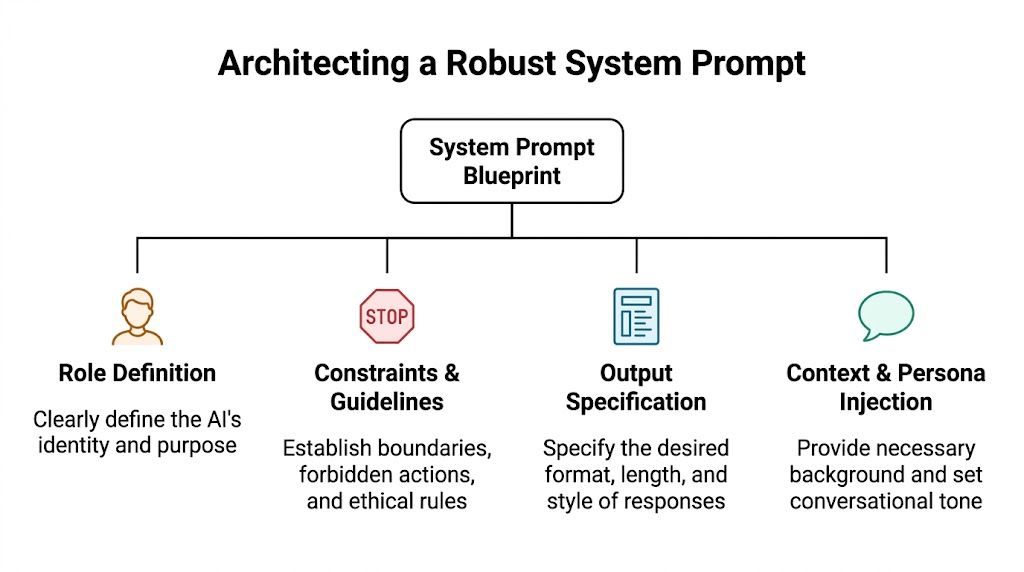
Start with constraints, not personality
Most prompt templates start with "You are..." and pour energy into persona design. Persona matters, but it isn't the main stability lever. The main levers are scope, constraints, tool policy, and output specification.
A production-ready system prompt should answer these questions clearly: define the role in operational terms ("inbox triage agent" beats "helpful productivity assistant"), state one primary outcome the agent is responsible for, plainly list what's out of bounds, specify allowed and denied tools and the conditions for invoking them, provide explicit fallback behavior for when the agent doesn't know something, and define the exact output format or schema if another system will consume the result.
Remove decision surface area before the model starts generating.
The template I use
Here's the structure in plain English:
- Role definition: name the agent and its single responsibility
- Goal statement: define success in operational language (classify, extract, route, draft, evaluate)
- Trusted context: list the sources the agent may treat as authoritative
- Constraint block: hard rules, negative instructions, evidence rules
- Tool policy: when to call retrieval, when to stop, when to escalate
- Failure mode policy: what to do when data is missing, conflicting, or stale
- Output contract: format, sections, field names, ordering
- Assumption log: require the model to label assumptions separately from verified data
The short version:
- Role: Agent name, narrow function, workflow position
- Constraints: Forbidden actions, evidence rules, refusal conditions
- Tool policy: Allowed tools, call order, fallback hierarchy
- Output: Required schema, formatting rules, completion criteria
The best version of this prompt is often boring to read. Good sign. Boring prompts run better than theatrical ones.
What to leave out
Don't pack the system prompt with every preference. Avoid motivational language, duplicate rules, or style guidance that conflicts with execution. Every extra instruction creates more room for collision.
Keep style secondary unless the agent's job is communication. For most operators, a stable handoff matters more than a polished paragraph.
The refinement loop
A prompt is a hypothesis. Until it survives repeated tests, it's just a draft.
Build a golden set before you edit
Testing prompts by chatting with them is useful for exploration and bad for evaluation. It hides regressions because every test is slightly different.
A better approach: build a golden set, a fixed group of real inputs your agent is expected to handle. Pull them from your own workflow, not invented examples. Include easy cases, ugly edge cases, partial context, contradictory notes, and malformed requests.
For a vault retrieval agent, my golden set includes:
- A clean retrieval case with an obvious match in the PARA vault
- A missing-data case where the correct behavior is refusal or escalation
- A conflicting-note case where two sources disagree
- A noisy input case with irrelevant detail
- A handoff case where output must follow exact downstream formatting
Then score each run against the same rubric.
Small edits, audit trail
When a prompt fails, don't rewrite the whole thing. Change one thing at a time. If you edit role, constraints, fallback behavior, and format all at once, you won't know what fixed the issue.
My loop:
- Run the golden set
- Mark the failures
- Identify one root cause
- Edit one part of the prompt
- Log the change
- Re-test against the same set
Append a short change log to the prompt file itself. Note what changed, why it changed, and which failure triggered it. That log becomes valuable when an agent regresses two weeks later and nobody remembers why a rule was added.
Evaluate execution, not vibes
A prompt can sound better while performing worse. This happens a lot after adding "helpful" language. The model gets more conversational, but looser with constraints and more willing to smooth over uncertainty.
The right question: did the agent behave within spec?
- Did it stay inside the allowed data boundary?
- Did it follow the tool order?
- Did it mark uncertainty instead of inventing?
- Did it produce output another agent could reliably consume?
If the answer fails on any of those, the prompt still needs work.
Versioning and deploying prompts
The fastest way to break an agent stack is to treat prompts like loose text pasted into random configs. Once you have multiple agents, shared vaults, and handoffs, prompt sprawl turns into operational debt.
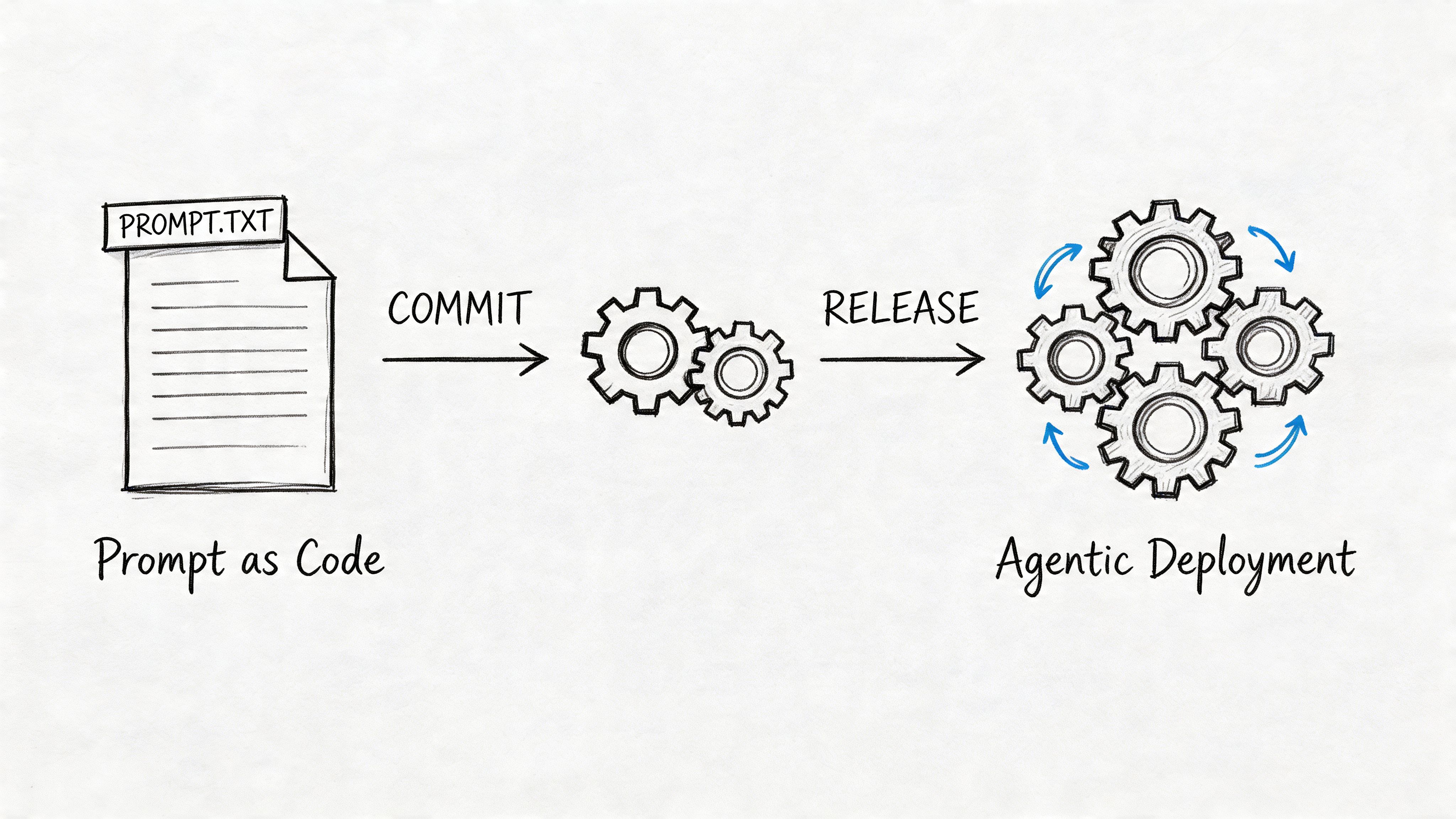
Treat prompts like code
Every production prompt should live in version control. Git is enough. The point is traceability.
At minimum, store each prompt as a file with: agent name, version number, last modified date, owner, prompt body, change log, expected input schema, and expected output schema.
My naming pattern:
inbox-triage.system.mdvault-retriever.system.mddraft-writer.system.mdhandoff-checker.system.md
This gives you rollback, diff history, and a clean way to review changes before deployment.
How prompts fit into the operating system
In my setup, the system prompt connects directly to memory policy, retrieval policy, and handoff contracts. I separate four layers:
- System prompt: Identity, scope, constraints, tool policy, output contract
- Runtime context: Current task, user request, job metadata
- Persistent memory: Vault notes, compiled wiki pages, durable logs
- Conversation state: Ephemeral exchange history for the current thread
This prevents a common mistake: dumping everything into the prompt because you want the model to "remember." That creates bloated prompts and unstable behavior. The prompt should define rules for memory access, not become the memory itself.
In my PARA-based vault:
- Projects hold active task context and current operating docs
- Areas hold durable standards and standing rules
- Resources hold references, examples, and source material
- Archives stay retrievable but outside the default path
The agent prompt tells the model where to look first, what counts as authoritative, and what to do if retrieval comes back thin.
A prompt describes the memory contract. The vault holds the memory.
Deployment discipline
Prompt deployment should be staged. Don't hot-swap a new prompt into every running agent unless you're comfortable tracing the blast radius.
- Develop in a branch
- Test against the golden set
- Approve via review
- Deploy to one agent or one workflow path
- Monitor failures
- Promote or roll back
A system prompt isn't finished when the text looks good. It's finished when the right version is attached to the right agent, with the right context sources, under a release process you can trust.
Failure modes I've hit
Most prompt advice stops at writing. Production work gets harder after that.
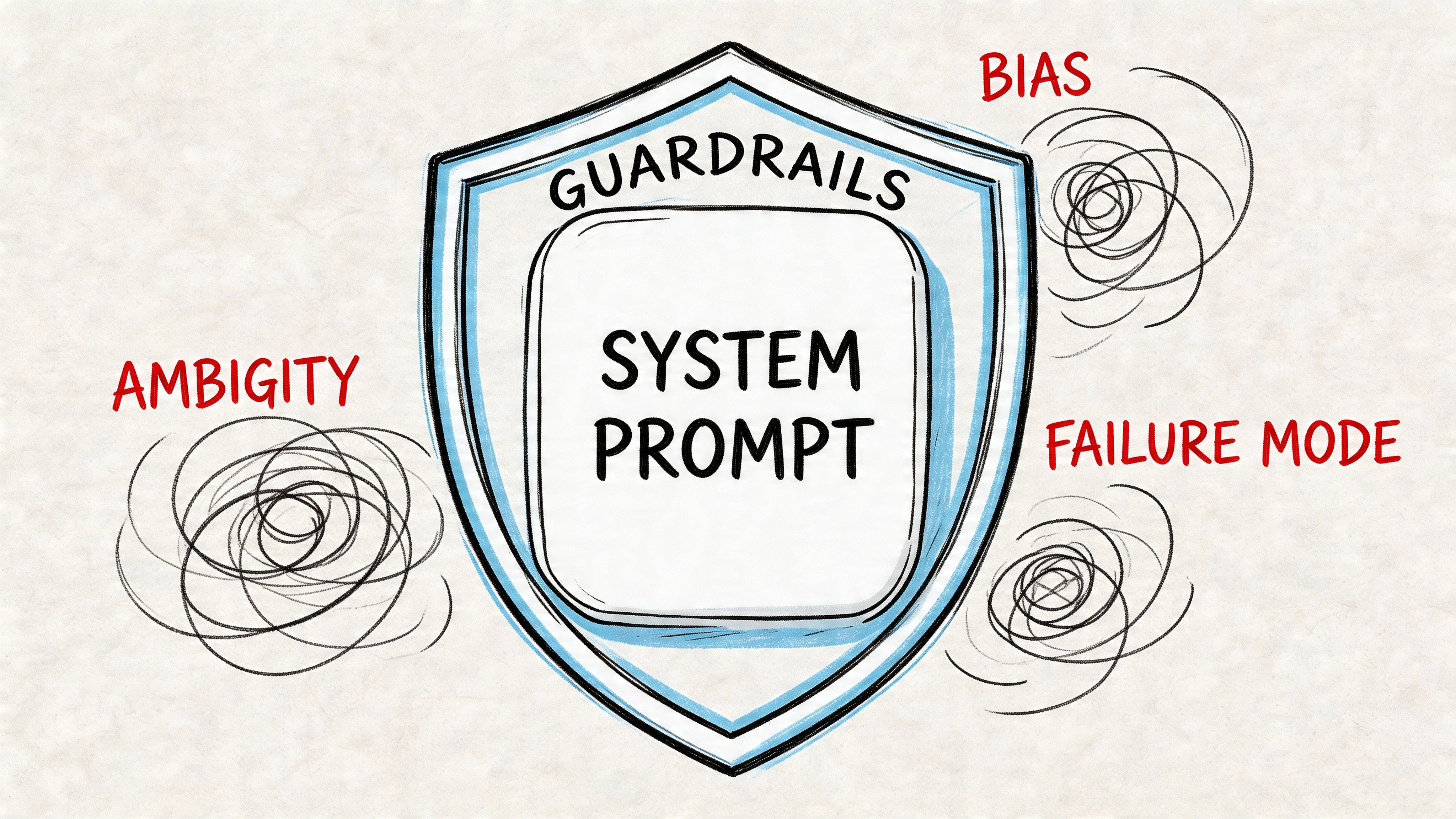
Prompt injection
Prompt injection happens when untrusted input tries to override trusted instructions. In my setup, this shows up when a retrieved document smuggles in new rules.
Guardrails that help: label sources explicitly so the model knows what's instruction and what's evidence, tell the agent to treat retrieved documents as untrusted unless verified, forbid policy changes from user input unless a specific control path allows them, and require the agent to ignore instructions found inside quoted text or documents.
A good system prompt says this plainly. It doesn't hint.
Context drift
Long threads create their own failure mode. The model starts strong, then gradually responds to the most recent turns instead of the durable instruction set. It isn't exactly forgetting. It's weighting the live thread differently than intended.
The fix is operational hygiene:
- Re-state key constraints in task packets, not only in the top-level prompt
- Use shorter task threads for distinct jobs
- Store durable state outside the thread in logs, vault notes, or agent memory files
- Inject current state summaries at controlled intervals for long-running workflows
If a rule matters after ten turns, don't trust conversation history alone to carry it.
Hidden defaults
A generic prompt often assumes one language norm, one professional style, and one cultural frame. That's manageable for narrow internal tools. It becomes risky for customer-facing agents or knowledge systems used across regions.
Practical checks I run: state the intended audience directly instead of assuming defaults, avoid examples that only make sense in one market if the agent serves multiple regions, instruct the model to preserve meaning when user phrasing differs from standard written English, and route uncertain cases to human review if the workflow touches health, legal, finance, or education.
A useful audit question: if a user from a different region reads this output, what assumptions would feel invisible to the operator but obvious to them?
The principle
A good system prompt does the same thing a good SOP does: it removes ambiguity, defines boundaries, and makes the right behavior the default.
If you can't look at your system prompt and immediately answer "what would this agent do if X goes wrong?" the prompt isn't production-ready yet. Keep tightening until you can.
Read next: AI Agent Workflows That Actually Ship and AI Agent Memory: How I Built Persistent Memory Into My Agent Org.