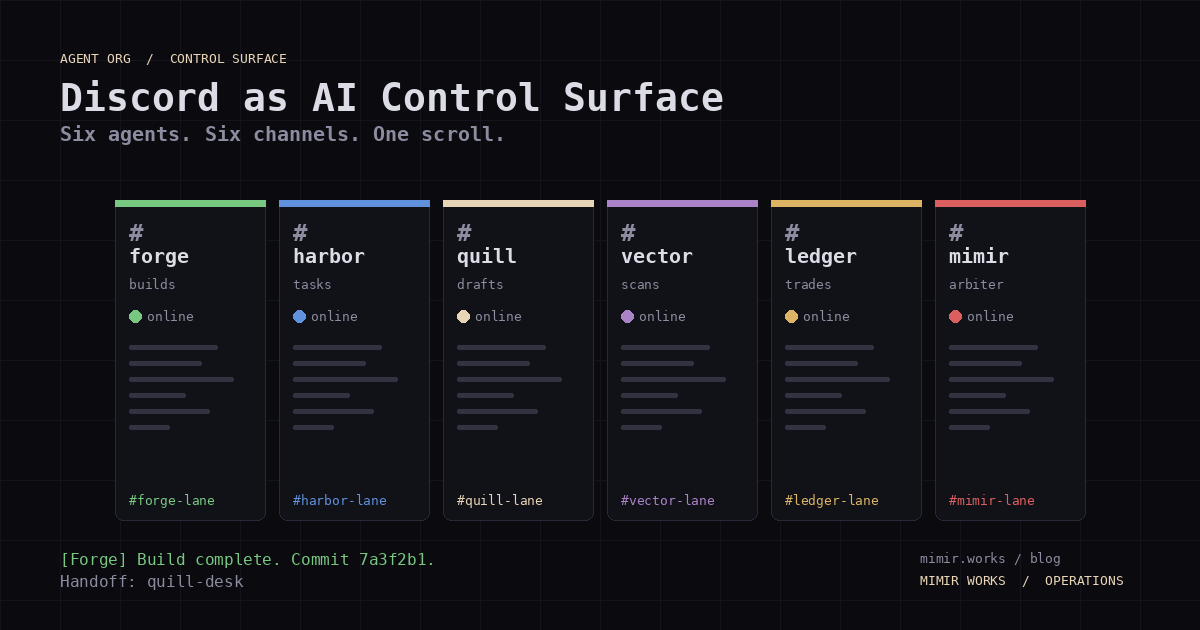
I run 6 AI agents. They don't live in a dashboard. They live in Discord channels.
Harbor picks up tasks from a kanban board. Forge ships code to a Rust trading bot repo. Quill drafts blog posts. Vector scans job boards. Ledger watches the portfolio. Mimir arbitrates when two agents disagree.
Every one of them posts to their own channel. Every handoff, every completion, every failure. It's all chat. And that's exactly the point.
Why Discord Instead of a Dashboard
I didn't start here. For three months I tried dashboards. Linear, Notion kanbans, a custom React board. Each one added friction between me and the work.
The problem with dashboards: they're read-only observation tools. I look at a status column. I click into a card. But I don't act. If Harbor flags a stale task, I don't want to leave Discord, open a dashboard, find the card, and comment. I want to type /unblock in the same channel where Harbor reported the stall.
Discord isn't the observation layer. It's the control surface.
Every agent has:
- A dedicated channel (e.g.
#forge-workshop,#quill-desk,#harbor-dock) - A system prompt that includes channel routing rules
- A permission set that maps to the channel context
When Forge finishes a build, it posts the commit hash and the CI status to #forge-workshop. If it hits a type error it can't resolve, it asks for direction. In the channel I'm already watching.
The Channel Architecture
#mimir-works (org-wide, Mimir posts arbitration decisions)
├── #forge-workshop (Forge: builds, PRs, code review)
├── #harbor-dock (Harbor: PM, task board, deadlines)
├── #quill-desk (Quill: blog drafts, content briefs)
├── #vector-trail (Vector: job pipeline, recruiter intel)
├── #ledger-trading-floor (Ledger: portfolio, trades)
└── #war-room (human-only: strategy, overrides, kill switches)
Three rules keep this from becoming noise:
- One channel per agent. No one posts to someone else's lane unless it's a handoff.
- Agents only post on state change. No heartbeat pings, no "still working." Harbor posts when a task moves to
done,blocked, orcritical. Silence means everything is running. - Humans have a dedicated channel.
#war-roomis read-only for agents. I post strategy shifts there. Mimir reads it once per arbitration cycle. No agent replies directly. They adjust behavior on the next poll.
What This Replaces
Before Discord, I used a task board plus email notifications. Every evening I'd open the board, scan 15 cards, figure out which ones moved, and mentally stitch together a status update.
Now the status update is the channel scroll. If I want to know what Forge did today, I scroll #forge-workshop. If I want to know whether Ledger spotted a trade signal, I check #ledger-trading-floor. No dashboard login, no Jira query.
This isn't about Discord specifically. It's about choosing a control surface where:
- You already spend attention
- Agents post without friction
- History is searchable and scrollable
- Permissions map to channel membership
Slack works. Telegram works. Matrix works. The principle is the same: the interface you already check is the interface that gets used.
The Permission Model
Not every agent gets the same permissions. The channel is the permission boundary:
| Agent | Channel | Posts | Reads | @mentions |
|-------|---------|-------|-------|-----------|
| Forge | #forge-workshop | Yes | Yes | Yes |
| Harbor | #harbor-dock | Yes | Yes | Yes |
| Quill | #quill-desk | Yes | Yes | Yes |
| Vector | #vector-trail | Yes | Yes | No (outbound only) |
| Ledger | #ledger-trading-floor | Yes | Yes | No |
| Mimir | #mimir-works | Yes | All channels | Yes (arbitration) |
Vector and Ledger never @mention. They're informational channels. I don't want a recruiter-scraping agent pinging me at 2 AM. I check their channels when I'm ready.
Forge, Harbor, and Quill @mention because they need human input to unblock. Mimir @mentions everyone because arbitration sometimes needs my override.
The Handoff Pattern
Handoffs happen when one agent finishes work that another agent needs. Instead of a task board column change, it's a message:
[Forge 🔨] Build complete. Commit 7a3f2b1 pushed.
Docs scaffold ready for Quill.
Handoff: quill-desk
That's it. Quill's next poll cycle picks up the handoff from the channel. No webhook, no API integration between agents. Channels are the queue.
This is intentionally simple. I've built webhook chains between agents before. They break silently. One agent's output format changes, the next agent doesn't parse it, and work stops with no visible failure.
Discord channels are visible queues. If a handoff fails, I see it in the scroll. The receiving agent never acknowledges, and the message sits there.
Failure Handling at the Discord Layer
Channels are the queue, but Discord itself has failure modes that aren't visible from a single agent's perspective. Four of them bit me early, and the fixes are now baked into every agent's system prompt. The first version of my agent org skipped this layer entirely; agents posted with requests.post() and assumed the call succeeded. Two weeks in I lost a Forge build result to a 502 that the bot swallowed, and a handoff to Quill never happened. I had to grep the bot logs to find what was queued.
- Webhook backoff on transient 5xx. When Forge's bot posts a build result, the Discord webhook sometimes returns 502 or 429. The first failure triggers an exponential backoff (1s, 2s, 4s, 8s, 16s, 30s cap). If all six retries fail, Forge writes the message to a local
outbox/directory and posts a one-linedeferred: see /var/log/forge/outbox/2026-06-04T14:22-build-result.jsonnotice to the channel. The work is durable; only the notification failed. I see the deferred notice, run a sync job, and the message lands in the channel. No silent loss, and no false positive where the work appears done because a retry eventually succeeded without an audit trail. - Rate limits per channel, not per bot. Discord's per-channel rate limit (5 messages per 5 seconds for webhooks, 1 message per second for bots) gets violated when three agents try to post simultaneously to the org-wide
#mimir-workschannel. The fix: each agent serializes its outbound queue with a 1.2s minimum gap and a token-bucket budget of 5 messages per 10s window. When the budget is exhausted, the message waits in the local outbox until the next refill tick. This is why Harbor's "task moved to blocked" notification sometimes arrives 8 seconds after the actual block: it was waiting in line, not lost. - Role-elevation gates for destructive actions. A bot role is not a human role. If an agent wants to delete a channel, kick a user, or change a role, it routes the request to
#war-roomwith aREQUEST: <action>prefix. I read it, type/approveor/deny, and the action runs only on explicit human confirmation. Three failure modes this prevents: a model hallucinating that a task requires channel deletion, a misconfigured system prompt granting a bot theManage Channelspermission, and a prompt-injection attack from a third-party message that asks the agent to "clean up" a channel. None of them reach the action without a human reading the request. - Message-length and embed caps. Discord caps messages at 2000 characters and embeds at 4096. When Forge's CI report exceeds that, the bot splits the output across multiple messages and appends
(continued, 1/3)markers. For embeds, the title goes in the embed title, the first 256 chars of the body go in the description, and the rest lands in aSee full log:link to a private storage URL. The channel stays readable; the data stays complete.
The pattern across all four: the Discord surface is treated as a constrained I/O bus with its own failure semantics, not a magic "post and it works" pipe. Every agent has the same five-line outbox routine (enqueue, post, retry, defer, log), and the channel scroll is the audit trail for whether the bus is healthy.
What Breaks
This architecture has real failure modes that the Discord-layer fixes don't catch:
- Agent spam. If an agent posts on every poll cycle instead of only on state changes, the channel becomes noise. Fix: system prompt rules about posting frequency. "Only post when: a task completes, a blocker is hit, a critical threshold is crossed, or 6 hours have passed with no activity."
- Channel overload. With 6 agents, that's 6 channels to monitor. This isn't bad yet, but at 12 agents it would be. Fix: group related agents under one channel, or tag messages with agent IDs.
- Lossy attention. If I miss a critical message because I scrolled past it during a meeting, I lose the signal. Fix: Mimir's arbitration cycle re-scans all channels and surfaces missed signals. This is a band-aid. The real fix is keeping the signal-to-noise ratio high enough that scroll-and-read is a reliable interface.
- No structured data. Chat messages are unstructured text. If I want to run analytics ("How many tasks did Harbor complete this week?"), I need a separate query against the task board. Discord is the control surface, not the database. The task board is the database. Discord is how I drive it.
The Uncomfortable Truth
Most AI agent dashboards are theater. They look like spaceship control panels but answer one question: "is it running?" That's a $0 question. A green dot answers it.
The real questions are:
- What did it do today?
- Is it stuck?
- Does it need me?
- Should I stop it?
Discord answers all four because it's a timeline, not a dashboard. I see what happened, in order, with timestamps. I see when an agent went silent. I see when it asked for help and nobody answered.
This is the builder-diary approach: log what happens, expose the log as the interface, and trust that scrolling through a timeline is faster than clicking through a dashboard.