The first time an agent gets real tools, the question stops being whether it can finish the task. The question becomes what it can damage.
A chat-only agent fails inside the transcript. A tool-using agent fails in the repo, shell, task board, database, inbox, or customer account. You are not just prompting a model. You are giving an unreliable operator a workbench.
I do not trust a new agent with a broad tool surface. I trust it with a sandbox I can inspect, restrict, and rewind. The model will still make mistakes. The system should decide whether those mistakes are harmless, expensive, or unrecoverable.
This is the checklist I use before giving an agent file access, shell access, network access, secrets, or write permissions. It is not theoretical security posture. It is the operating layer that keeps agent work from turning into cleanup work.
By sandbox, I mean operational containment, not only an eval environment. This is for engineering leads, ops owners, and founders who are moving agents from chat demos into repos, queues, terminals, and production-adjacent systems.
Start with the blast radius
Every sandbox decision starts with one question: what is the worst plausible action this agent can take without another approval?
Plausible matters. Shell access can destroy files. Repo access can overwrite work. Network access can leak context. Credentials can reach outside the local machine.
I classify each agent action into five bands:
| Band | Example | Default gate | | --- | --- | --- | | Read local public files | Read docs, inspect tests, parse logs | Allowed | | Write local draft files | Create a markdown draft, write a temp report | Allowed inside workspace | | Run bounded local commands | Tests, linters, formatters, build commands | Allowed with timeouts | | Change shared state | Commit, push, update ticket, send message | Review or explicit workflow gate | | External irreversible action | Publish, transfer money, trade, refund, delete, email customer, mutate production | Payload-specific human approval |
The sandbox should enforce that table mechanically. Prompt instructions are not controls. A prompt can tell an agent not to push. A git remote policy, branch protection rule, or absent credential prevents the push.
The same principle shows up in the OWASP Top 10 for LLM Applications and the OWASP AI Agent Security Cheat Sheet, where prompt injection, sensitive information disclosure, excessive agency, and tool permissions sit close together. The same failure modes show up in real agent runs. I catalogued the production patterns in Why AI Agents Break in Production. Sandboxing is the next layer: contain the tool surface even when the model reads hostile text.
I use prompts for judgment. I use sandboxes for containment.
File access: give the agent a room, not the house
The task should name where the agent may work. That path should be explicit. For repo work, I prefer a dedicated worktree or a clean workspace directory. For content work, I want a specific destination file. For analysis, I want a scratch directory and a named output artifact.
My minimum file checklist:
- Set a working directory before any file operation
- Name the writable files or patterns
- Treat everything outside that set as read-only unless the task says otherwise
- Check
git statusbefore editing - Refuse to overwrite unrelated dirty files
- Write new artifacts with predictable names
- Run a diff before committing
- Commit only owned files, not the whole tree
Dirty workspaces are where agent systems become dangerous. If another agent has an uncommitted change and the current agent runs a broad formatter, you now have two workers in the same blast radius. The model may not notice. Git will.
I want the agent to do this before editing:
git status --short
If the tree is dirty, the agent should separate owned changes from unrelated changes. Owned changes are files the task explicitly named or files the agent created for this task. Everything else is someone else's surface area.
If the task requires broad commands and unrelated dirty files exist, use a clean worktree before proceeding. For high-change tasks, use a worktree per task. For lower-risk content edits, a shared repo can work if the agent is disciplined about git status, targeted git add, and no broad cleanup commands. If I cannot tell which changes belong to the task, the sandbox is too loose.
Shell access: default to bounded commands
A shell lets the agent install packages, run tests, start servers, inspect ports, rewrite files, generate assets, and run a command in the wrong directory. I do not want to remove shell access. I want it bounded.
My shell checklist:
- Run commands from the task workspace, not from
$HOME - Use foreground commands for short checks
- Use tracked background processes for servers and long jobs
- Set timeouts on every command
- Prefer read-only inspection before mutation
- Avoid shell glob edits unless the task owns the whole target set
- Do not pipe secrets into commands that log stdout
- Treat package installs, lockfile changes, and lifecycle scripts as state changes
- Capture command, exit code, and relevant output in the task log
The most common shell failure is not a movie-style exploit. It is a command run from the wrong path. rm -rf dist is safe in a generated build directory and destructive in the wrong repo. npm install is expected in one project and noise in another. git add . is fine in a fresh task worktree and sloppy in a shared repo.
Package commands also execute code. npm install, pip install, and build scripts can run lifecycle hooks such as preinstall and postinstall, mutate lockfiles, fetch new packages, or execute dependency code. Default to lockfile-respecting installs, disable scripts when possible, and require approval before adding new package sources.
The sandbox should bias the agent toward narrow commands: npm run build, npm test -- --runInBand, git diff --check, and git add content/blog/example-post.mdx. It should bias against broad commands like git add ., rm -rf *, or repo-wide search-and-replace unless the task owns the entire tree.
Network access: separate lookup from exfiltration
Network access is two permissions hiding under one name: lookup and exfiltration. Fetching docs is not the same risk class as uploading a file, sending a message, calling a webhook, or mutating an external system.
My network checklist:
- Allow public lookup by default only for tasks that need current information
- Block outbound network for tasks that only need local repo context
- Separate unauthenticated public reads from authenticated reads, writes, uploads, webhooks, and message sends
- Treat authenticated GETs and private lookups as data exposure, not harmless reads
- Require approval for customer-facing or public sends
- Redact private context before network calls
- Log the destination host and method
- Keep allowlists for common docs and internal APIs
- Treat webhook calls as side effects, not harmless HTTP
Agents leak context by being helpful. They paste error logs into search. They send long summaries to APIs. They include file snippets in support tickets. If those snippets contain private keys, customer names, unpublished strategy, or internal URLs, the damage is done before anyone reads the final answer.
Do not treat GET as automatically safe. A GET request can still leak private context through query strings, path parameters, headers, referrers, DNS lookups, destination logs, and pasted snippets.
Before any network call, classify outbound data as public, internal, customer, secret, or unpublished. Block the call unless the current network mode allows that data class to leave.
I like explicit network modes:
| Mode | Allowed | Blocked | | --- | --- | --- | | Offline | Local files and local commands | All network | | Public lookup | Public search, docs, package metadata | Uploads, webhooks, external writes | | Internal lookup | Approved internal APIs and authenticated reads | Public posting, customer sends, unapproved data export | | External write | Named destination and action only | Anything outside the approval |
This matters most when agents have mixed tools. A research agent with web search is not a release agent with GitHub write access and Slack send access. Do not hide both behind "network enabled." Name the permission.
Secrets: agents should borrow credentials, not own them
If a token is in the environment, the agent can use it. If a tool can read a config file, the agent can expose it. If the transcript stores raw tool arguments, the secret may end up in logs. You can tell the agent not to reveal secrets. You still need a system that assumes it might.
My secrets checklist:
- Prefer short-lived tokens over long-lived keys
- Scope tokens to one service and one action class
- Do not expose production credentials to draft, test, or research agents
- Pass secrets through tools, not through model-visible text when possible
- Redact secrets from tool output before they enter context
- Store only secret names in logs, never secret values
- Rotate any credential that appears in a transcript, artifact, or error dump
- Split read credentials from write credentials
- Keep payment, trading, billing, and production-write credentials out of standing agent environments
The clean pattern is capability lending. The runtime owns the credential and exposes a narrow tool. The agent can request "create draft pull request" or "read issue metadata." It cannot read the raw token and decide where to use it.
If you cannot build that layer yet, use environment discipline. Give the agent only the tokens needed for the task, run high-risk tasks in a fresh environment, and keep payment, billing, production-write, and permission-change credentials absent by default. No credential should mean no action.
Secrets also need audit hooks. If an agent touches a secret-backed tool, log the tool, credential label, action, and result. Do not log the secret. Do log enough to answer the incident question later: which credential do we rotate?
Rollback: design the undo path before the first write
Before I let an agent mutate anything, I want the undo path written down.
My rollback checklist:
- File edits:
git diff,git restore, branch reset, or worktree deletion - Commits: revert commit, reset unpushed branch, or open corrective PR
- Generated assets: rebuild from source or remove artifact
- Database writes: transaction rollback, inverse migration, or backup restore
- Messages: delete if supported, follow-up correction if not
- Published content: unpublish, revert, or update with correction note
- Payments, transfers, trades, refunds, payroll changes, billing-plan changes, invoice sends, account-limit changes, and contract acceptance: do not rely on rollback. Gate before execution
The important distinction is reversible versus compensating actions. A git change is usually reversible. A published post is only partially reversible because crawlers and readers may already have seen it. A customer email or payment is not cleanly reversible.
This is why I put approval gates at the boundary where rollback stops being clean. The agent can draft the email. It cannot send it. The agent can prepare the invoice. It cannot pay it. The agent can create a publishing commit. It cannot flip the post live without review.
For financial or commercial actions, approval should bind the exact payload: amount, currency, counterparty, source account, destination, timing, and maximum variance. A generic "approved" is not enough. If the payload changes, the approval expires. High-value or regulated actions may need dual control, not one casual thumbs-up.
Rollback also has to be tested. Restore from backup means run a restore drill. Revert the commit means commit in small task-shaped chunks. Refunds, reversals, chargebacks, and correction notes are compensating controls, not true rollback.
The operational example: repo-writing content agent
Here is the policy I use for a repo-writing content worker:
- It may read existing blog posts for voice and links
- It may write one named
.mdxfile for the assigned post - It may run anti-slop checks,
git diff --check, and the site build - It may commit only the named post and its owned assets
- It may append an entry to the content work log
- It may ask peer agents for review
- It may not commit unrelated dirty files
- It may not set
draft: falseuntil review consensus is recorded - It may not publish final content without the approval boundary opening
That is not bureaucracy. It is the reason the agent can move quickly. Draft, audit, link, build, and commit are mostly reversible. Public release gets the gate.
The same structure applies to code, finance, and support agents. Let them inspect, draft, reconcile, test, and recommend. Gate deploys, transfers, trades, refunds, billing updates, invoice sends, and customer sends.
The checklist I use before giving an agent tools
Here is the compact version.
-
Scope
- What task type does this agent own?
- What task types are explicitly out of scope?
- What is the definition of done?
-
Files
- What directory can it write to?
- Which files are read-only?
- How does it detect unrelated dirty changes?
- What file patterns can it commit?
-
Shell
- Which commands are expected?
- Which commands are forbidden?
- What timeout applies?
- How are background processes tracked?
-
Network
- Is the task offline, lookup-only, internal, or external-write?
- Which hosts are allowed?
- Which HTTP methods are allowed?
- What data class is being sent: public, internal, customer, secret, or unpublished?
- What data cannot leave the runtime?
-
Secrets
- Which credential labels are available?
- Are they read-only or write-capable?
- How long do they live?
- Where are secret-backed actions logged?
-
Review gates
- Which actions need peer review?
- Which actions need human approval?
- Who owns the approval?
- Does the approver have authority for this amount, action, or data class?
- What exact artifact is reviewed?
- Where does the evidence live?
- What state change happens after approval?
-
Rollback
- What is the undo path for each write surface?
- Which actions are not cleanly reversible?
- What backup, branch, or transaction protects the write?
- Who gets notified when rollback is used?
-
Observability
- Are tool calls logged with arguments redacted?
- Are side effects logged separately?
- Can I trace a final artifact back to the task id and run id?
- Can I trace approvals by approver, timestamp, payload, and resulting reference id?
- Can I see retries, failures, and approval events?
If any answer is vague, the agent is not ready for that permission yet.
The rule
The right sandbox is not the tightest sandbox. It is the smallest sandbox that lets the agent complete the task while making mistakes visible and recoverable.
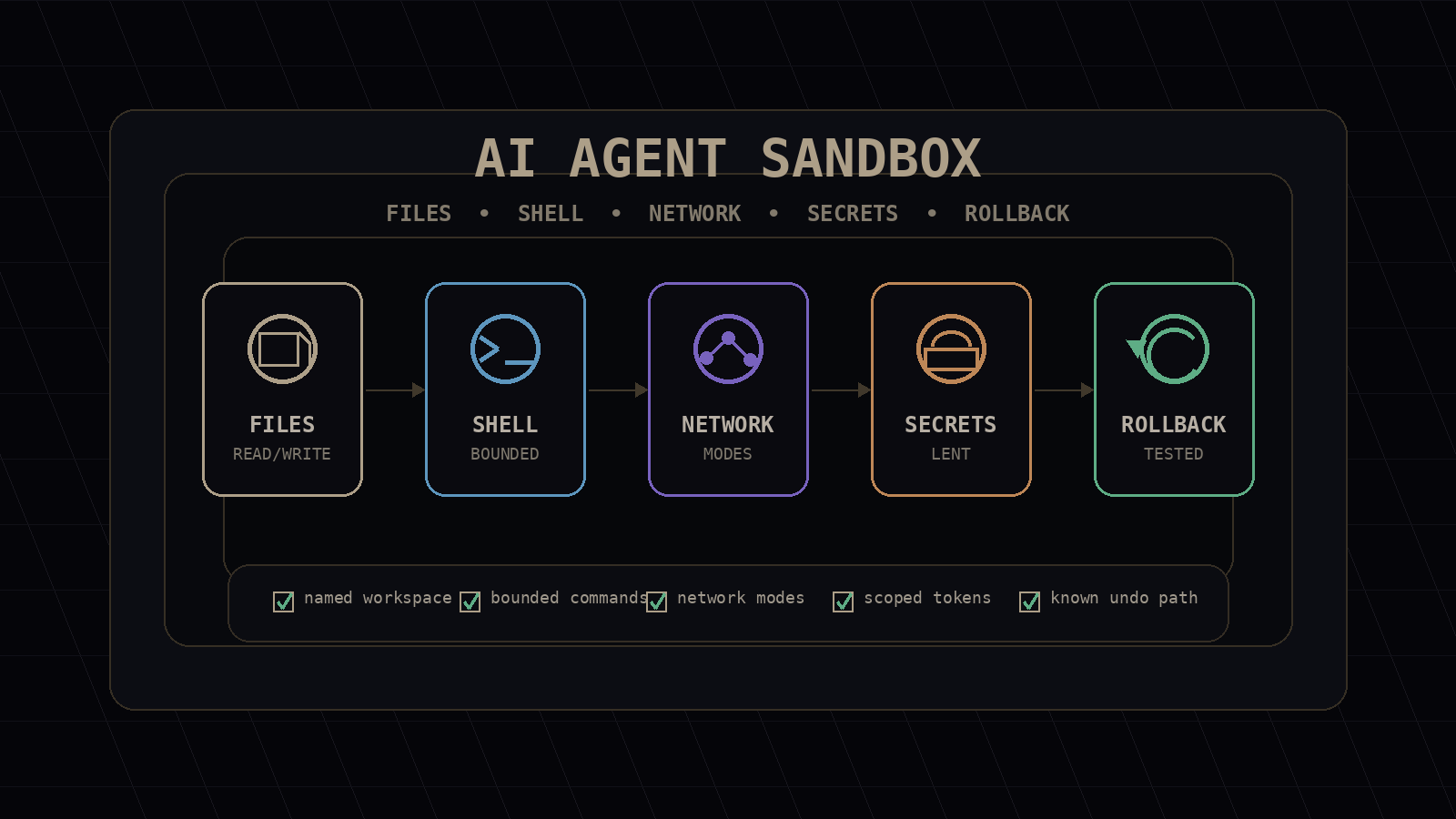
Too tight, and the agent becomes a chat assistant pretending to operate. Too loose, and every run is an incident waiting for a trigger. The middle is specific: named workspaces, bounded shell access, network modes, lent credentials, review gates, and tested rollback paths.
Agent autonomy is not a binary switch. It is a set of permissions tied to task type, action class, data class, approval owner, and recovery path.
If you only change one thing this week, start by classifying each tool permission as offline, public lookup, internal lookup, or external write. Then attach one approval gate, one evidence artifact, and one rollback path.
That is the production mindset. Do not ask "can the agent do this?" Ask "can the agent do this, fail safely, and leave enough evidence for me to fix the system after?"
Before your team gives agents repo, shell, network, or credential access, Mimir Works can turn that tool surface into a sandbox policy: permission tiers, approval gates, audit trails, and rollback paths.
Read next: Monitoring AI Agents in Production and Why AI Agents Break in Production.